


What you’ll learn in this article:
- What are keyboard shortcuts
- How to use iOS keyboard shortcuts with Clicks
- Learn helpful keyboard shortcuts that work with Clicks in your favorite apps
1. Global iOS Shortcuts
Here are some popular and handy shortcuts that work across your iPhone.2. iOS App Specific Shortcuts
Here are some popular and handy shortcuts that work across your iPhone.
Clicks also supports keyboard shortcuts that will work with many of your favorite third party apps.
Take your shortcut superpowers to the next level with Clicks Mode
The above shortcuts are all baked into iOS by default. By configuring Clicks Mode on your iPhone you can customize the 36 buttons on your keyboard to enable even more shortcuts, commands and automations. Learn how here.Read more

Clicks is a command center for your Android smartphone
The Clicks Keyboard for Android is here. Learn how to use keyboard shortcuts to launch apps and navigate your Android phone.

Turn Clicks Into a Remote Control For Your Life
The 36 buttons on your Clicks Keyboard can be used for so much more than just typing. By enabling Clicks Mode to work with iOS Shortcuts, you can use the buttons on your Clicks Keyboard to quickly launch apps, trigger workflows or take actions you perform frequently

Mastering Clicks: What to Expect In Your First Two Weeks
With just a bit of practice your thumbs will feel right at home, typing with confidence and unlocking new iPhone features only available with a keyboard.
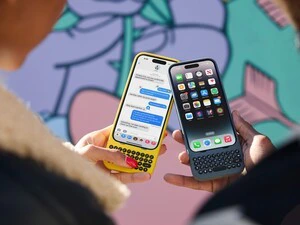
5 Ways to Tailor Clicks to Your Preferences
Everyone types a little differently. That’s why your Clicks Keyboard gives you ways to tailor your typing experience to your personal preferences.