


Navigate your phone
Launch your favorite apps
AI at your fingertips
In-App shortcuts
Chrome Browser
Gmail
Google Calendar
Google Keep (Notes)
Motorola Razr external screen shortcuts
A quick note that not all the shortcuts listed above work on the Moto Razr external screen. But, here are some of the ones we know that do.Read more
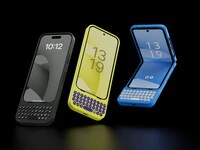
Clicks brings its award-winning iPhone keyboard case to Android phones
Clicks brings its award-winning iPhone keyboard case to Google, Motorola and Samsung smartphones. Smart keyboard accessory offers a premium typing experience, added screen real-estate and powerful keyboard shortcuts. Available to pre-order today from USD $49.
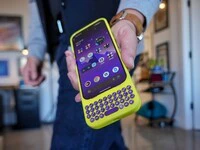
Introducing Clicks for Pixel: More Control. More Screen. More You.
Since launching Clicks for iPhone in 2024, we’ve heard from passionate Pixel owners that they want the benefits of buttons. With the announcement of Clicks for Pixel, we’re giving pixel a productivity power-up.
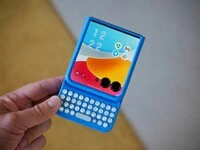
Meet Clicks for Razr: A keyboard you’ll flip for.
Clicks for the Motorola Razr transforms the foldable experience — unlocking full-screen productivity while keeping Razr ultra-pocketable. Best of all, Clicks adds a real keyboard that lets you type, navigate, and take control — all from the external display.
Clicks is a command center for your Android smartphone
The Clicks Keyboard for Android is here. Learn how to use keyboard shortcuts to launch apps and navigate your Android phone.